

The Insightto Blog

Strategies, insights, and trends for better customer journeys

Latest articles

Shopify post-purchase survey
NPS in Practice

Post-Purchase Survey Questions Shopify Merchants Should Ask First

Shopify post-purchase survey questions help merchants uncover purchase friction, hesitation triggers, and fixes to improve conversion before the next campaign. Start with the decision, not the survey The easiest Shopify post-purchase survey to write is a list of questions the team is curious about. The better survey starts somewhere less comfortable: what decision are you willing to make if customers answer clearly? That framing keeps the survey short. It also keeps the answers from becoming a pile of interesting comments nobody owns. Use shopify post-purchase survey questions to support one of four decisions: where to improve product-page clarity which checkout or cart message is creating doubt what marketing promise attracted the buyer what would make the next order easier Pick one primary decision per survey. If you try to serve all four at once, the thank-you page becomes a research form. Question set 1: understand what almost stopped the order Use this when conversion is moving, but you suspect buyers are arriving with hesitation. Ask: “What almost stopped you from placing this order today?” Good answer options: Shipping cost or delivery timing Product details were unclear I was comparing alternatives I was unsure about returns I was not sure the product was right for me Checkout felt confusing Nothing almost stopped me Other Follow with one optional field: “What would have made that decision easier?” This pair is useful because it does not ask customers to rate your store in the abstract. It asks them to remember a moment of doubt. Question set 2: learn what created enough confidence This version is better when you want to understand what is already working. Ask: “What helped you feel confident enough to complete your order?” Possible answers: Product photos or videos Reviews or social proof Clear sizing, specs, or use-case details Return policy Shipping information Brand trust A discount or offer I already knew what I wanted This question is especially useful after a product-page refresh, a new landing page, or a campaign that brings first-time buyers. It shows which confidence signals are doing actual work. Question set 3: protect attribution without letting it take over Attribution still matters. The issue is that many post-purchase surveys stop there. Keep the question simple: “What first introduced you to us?” Then keep the answers practical: Instagram or TikTok Google search Friend or creator recommendation Email or SMS Marketplace, review site, or blog I have bought from you before Other If you need a second marketing question, make it about influence rather than discovery: “What most influenced your decision to buy today?” That separates awareness from persuasion. A buyer may discover you on Instagram but convert because reviews, shipping, or product detail finally made the order feel safe. Three compact survey recipes You do not need every question in every flow. Pick the recipe that matches the store moment. New campaign traffic Use when you just launched ads, influencer traffic, or a landing page. What first introduced you to us? What almost stopped you from placing this order? What helped you feel confident enough to complete checkout? Product-page improvement Use when a SKU gets traffic but buyers still hesitate. Was anything unclear before ordering? What helped you choose the right option? What should we explain better for future customers? Repeat purchase growth Use when you care less about conversion friction and more about the next order. What made you choose us again? What would make reordering easier? Is there anything you expected to find but did not? What to do with open-text answers Open text is where the best signal lives, but it is also where teams get stuck. Do not review comments as a general inbox. Review them as evidence for specific storefront changes. Use four buckets: Product clarity Missing specs, unclear size, weak comparison, confusing photos, uncertain use case. Checkout confidence Payment method, discount code confusion, shipping surprise, return anxiety. Marketing promise Ad or creator claim attracted the buyer, but the product page did or did not support it. Next-order readiness What would make replenishment, gifting, subscription, bundling, or reordering easier. Once a comment lands in a bucket, assign it to a store asset: PDP copy, media order, cart copy, policy placement, email flow, or support macro. A simple rule for keeping the survey short If the answer will not change something in the store, remove the question. That sounds strict, but it keeps the survey useful. A post-purchase moment is high-quality attention. Spending it on five “nice to know” questions lowers completion and makes the answers harder to act on. For most Shopify teams, three questions are enough: One attribution or source question One hesitation or confidence question One improvement question tied to the next store update Make the answers visible during weekly work The survey becomes valuable when it joins your normal operating rhythm. Review answers next to traffic source, product, device, and new-versus-returning customer context. That is where vague feedback becomes specific. “Checkout was confusing” is not useful by itself. “Mobile first-time buyers from a discount campaign mention checkout confusion” is a fixable pattern. If you need help connecting survey responses to the actual journey context behind them, Insightto can support that operating loop for Shopify teams. The app is also available on the Shopify App Store for merchants who want to test post-purchase feedback inside their store workflow.
Shopify returns feedback
Experience Management

How to Reduce Shopify Returns With Better Customer Feedback

Reduce Shopify returns by collecting feedback at key journey moments. Learn which questions to ask across PDP, checkout, delivery, and returns. Returns are a margin signal, not just an ops ticket The return request is usually the last visible step. By the time it appears, the shopper has already compared the product to an expectation your store helped create. For Shopify merchants, that makes returns more than a warehouse or support workflow. They are a delayed signal about product clarity, promise accuracy, packaging, delivery expectations, and first-use confidence. If you want to reduce Shopify returns, the useful question is not only “why did this customer return?” It is: Where did the customer form the wrong expectation? A return reason is too late unless it points upstream Standard return reason codes are useful for processing, but they are often too broad for improvement. “Not as expected” can mean: the product photos hid scale or texture the specs were technically present but hard to compare the packaging made the item feel lower quality the delivery promise set the wrong timing expectation the customer bought for a use case the product does not actually serve Those are not the same problem. They belong to different owners. Instead of treating every return as a support event, treat each one as evidence that should point to one upstream store asset: product page, image sequence, variant naming, shipping copy, packaging, post-purchase education, or support macro. The returns feedback loop Use a simple weekly loop. It is intentionally small enough for a founder, operator, or CX lead to run without a research team. 1. Capture the customer’s plain-language reason During return initiation, ask one open question: “What would have helped you avoid this return?” Keep the standard dropdown if you need it for operations, but do not stop there. The open answer is where customers explain the missing expectation. 2. Tag the issue by store asset Do not tag only by sentiment. Tag by the thing you can change. Useful buckets: PDP copy or specs product photos or video variant naming shipping and delivery promise packaging or first impression first-use instructions audience or use-case fit This makes the feedback easier to assign. 3. Compare return reasons against pre-purchase hesitation This is where many stores find the pattern. The same uncertainty may appear twice: once before purchase, then again in the return. For example, shoppers may ask “Will this work with my setup?” before buying, and later return because compatibility was unclear. That is not a returns-policy issue. It is a product-detail issue. 4. Fix one asset at a time Trying to solve every return reason at once usually leads to vague work. Pick one high-frequency, high-exposure issue and change one asset: rewrite a confusing PDP section add a scale photo or comparison image clarify variant names move delivery expectations earlier add a short first-use guide after purchase Then watch whether the next set of return comments changes. Where to place feedback before the return happens The return request tells you what went wrong. Earlier feedback tells you where confidence was weak. Use different moments for different signals: Product page hesitation Ask what information is still missing before the shopper chooses. This catches expectation risk before the order. Thank-you page confidence Ask how confident the buyer feels that the product matches what they need. Low confidence on a specific SKU is an early warning. Post-delivery pulse Ask whether the product matched what the customer expected from the product page. This links the merchandising promise to real use. Return initiation Ask what would have prevented the return. This is the clearest improvement prompt, but it arrives late. Together, these moments show whether the issue is pre-purchase clarity, post-purchase education, delivery expectation, or product fit. Review returns by product exposure, not just volume The highest number of returns is not always the first thing to fix. A top-selling product will naturally produce more returns than a niche item. Look for combinations: Repeated reason + meaningful sales volume Fix first. This is likely costing margin and trust. Repeated reason + low sales volume Investigate before rewriting the store. It may be a product-positioning issue, not a sitewide problem. One-off complaint + high emotional intensity Send to support, but do not overfit the product page unless it repeats. Return reason also appears in pre-purchase hesitation Treat as a strong signal. Customers warned you before the return happened. This keeps the review practical and prevents one dramatic comment from steering the roadmap. What changes when the loop works A good returns feedback loop does not eliminate returns completely. Some returns are normal. The goal is to reduce avoidable returns caused by unclear expectations. You should start seeing: fewer repeated “not as expected” comments more specific customer language clearer owner assignments for product-page fixes support macros that feed back into merchandising better confidence before the buyer commits The important shift is cultural: returns stop being only a cost to process and become a source of store improvement. Make returns part of merchandising work The best return reduction work happens before the label is printed. It happens when the product page sets the right expectation, the post-purchase flow reinforces the right use case, and the support team feeds repeated friction back into store assets. You do not need a giant CX stack to do this well. You need better questions, placed at the right touchpoints, and a weekly habit of turning signals into specific store updates. Insightto is built around that loop for Shopify merchants, and you can review the app on the Shopify App Store.
WHY READ THIS BLOG

What teams come here to learn

Actionable AI feedback strategies

Learn how teams use AI to make customer feedback more useful and more operational.

Customer journey diagnostics

Find better ways to connect behavior signals with direct customer input.

NPS and retention playbooks

Understand how timing, context, and interpretation shape better NPS programs.

Real examples from SaaS teams

See how product, CX, and growth teams apply feedback systems in practice.

More from the blog

AI for NPS and Feedback / Experience Management

What AI Changes in Experience Management

AI is changing experience management less by replacing surveys or metrics than by making weak signals easier to detect earlier. Instead of waiting for problems to show up clearly in retrospective reporting, teams can connect feedback, behavior, and operational context closer to the moment where friction forms. That makes the work less episodic and more operational. Experience management used to feel simpler than it does now. You sent surveys, collected scores, reviewed comments, tracked trends, and used those signals to decide what needed attention. It was mainly a measurement discipline. Even when the work was imperfect, the basic logic was easy to follow. That logic still matters. It is just no longer enough by itself. The old model was built around retrospection The problem is not that teams lack customer feedback. In most cases, they have plenty of it. The problem is that feedback arrives late, lives in different systems, and often gets separated from the customer moment that produced it. By the time a pattern becomes obvious in a monthly report, the experience behind it may already have repeated many times. Traditional experience management was built around looking back and asking what customers felt. That made sense when touchpoints were fewer and expectations were slower. It is harder to rely on that model now. Customer experience does not form in one or two obvious places anymore. It takes shape across product pages, pricing pages, onboarding steps, support interactions, repeat visits, and post-purchase touchpoints. In many cases, what weakens trust is not one dramatic breakdown, but a series of smaller frictions. AI helps teams see weak signals sooner This is where AI changes the function in a way that is actually useful. Most organizations already have the raw signals they need. Survey feedback exists. Behavioral patterns exist. Support data exists. Journey friction exists. The difficulty is that these signals sit in different places, and by the time a person pulls them together manually, the pattern may already be old. AI helps shorten that lag. It can surface repeated themes in feedback, connect sentiment to surrounding behavior, and make it easier to spot where frustration or uncertainty is starting to gather. That does not make the interpretation perfect, but it makes the work less blind. Experience management becomes less episodic That matters most when the signals are weak in isolation. One low score may not tell you much. One abandoned step may not either. But when similar signals start gathering around the same part of the journey, the business gets an earlier read on what is changing. Once that happens, feedback stops behaving like a delayed summary and starts becoming more of an operating signal. The team stops asking only, “How did we do?” and starts asking, “Where is the experience starting to weaken?” That is a different kind of question. It is less about retrospective reporting and more about intervention. Metrics do not disappear, but they become less isolated Metrics like NPS, CSAT, and CES do not disappear in this model. If anything, they become more useful because they stop being read alone. A score means more when it sits next to behavior. A written comment is easier to act on when the surrounding journey is visible. A trend becomes easier to trust when it is not detached from the operational reality around it. The metrics stay the same. The interpretation gets more grounded. The function becomes more operational This also changes what experience management looks like inside the business. Instead of ending mainly in reporting cycles, the work moves closer to active friction, active decisions, and emerging risk. CX teams can see where frustration is building. Growth teams can see where hesitation is affecting conversion. Product teams can connect feedback to specific breakdowns instead of broad sentiment alone. That makes the function feel less delayed and more operational. Why this matters for tools like Insightto.ai This is also why tools like Insightto.ai make more sense in the current environment. The value is not just that they gather feedback. The more interesting part is that they help teams capture and interpret feedback in a way that stays closer to the journey itself. That is what experience teams increasingly need. Final thought AI is not making experience management easy. The work is still messy. Signals are still incomplete. Teams still need judgment. But it is making the function less delayed. And right now, that is a meaningful change.
AI for NPS and Feedback

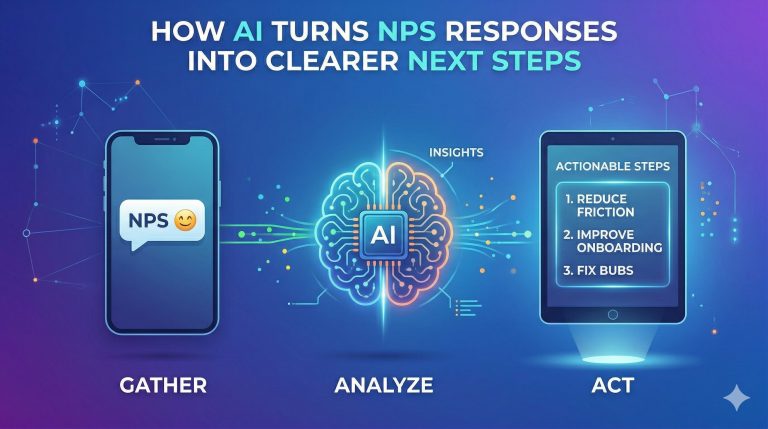
How AI Turns NPS Responses Into Clearer Next Steps

NPS often gives teams a signal before it gives them a clear action. AI becomes useful when it reduces the time spent sorting, grouping, and interpreting messy responses, especially when feedback is read with behavioral context. The real value is not in collecting more input, but in making the path from response to action less blurry. Collecting NPS responses is usually not the hard part. The difficult part starts once the responses arrive. A score dips. Comments accumulate. Everyone can see that something deserves attention, but that does not mean the team knows what to do next. This is where a lot of feedback programs start feeling heavier than they should. The problem is rarely a lack of input. Most teams already have plenty of it. The problem is that the input arrives in a form that does not make prioritization easy. A score gives direction, not a decision The score tells you movement happened. It does not tell you what caused it. A drop could reflect weak messaging, poor timing, onboarding friction, pricing hesitation, a support issue, or something broader in the journey. The number is useful because it shows that sentiment shifted. It is limited because it does not tell you where to begin. That is often where the slowdown starts. Teams know something changed, but not what deserves attention first. Open-text feedback contains the value, but also the mess The written responses usually contain the real signal. Customers say what felt unclear, frustrating, useful, or unexpectedly good. But they do not say it in neat internal categories. They describe symptoms. They compress experience into a few lines. Sometimes several issues get folded into one short comment. One person says the page felt confusing. Another says they were not sure what to do next. Someone else says there was too much information. Another leaves a low score with almost no explanation at all. Taken one by one, these comments are useful but messy. Read together, they may all be pointing to the same friction. AI helps by making patterns visible earlier This is where AI becomes genuinely useful. Not because it magically understands customers better than the team does, and not because it replaces interpretation. The practical value is simpler than that. AI can help surface patterns sooner than a person working through a long list of responses by hand. It can group comments that sound different but are circling the same issue. It can reduce the amount of manual sorting that happens before the real discussion even begins. That may not sound dramatic, but it matters because the biggest delay in acting on feedback is often the time it takes to get the signal into a shape that feels clear enough to trust. Context turns vague feedback into usable direction This gets even more useful when feedback is read alongside behavior. A low score attached to repeated pricing-page visits tells a different story from a low score that follows a rough onboarding moment. A vague comment about clarity becomes much more informative when you can see what the person had just been doing. If someone says the experience was unclear after revisiting the same part of the journey several times, the team suddenly has something more concrete than a general complaint. That is often the missing piece in feedback programs. The survey response exists, but it is disconnected from the moment that produced it. Not every response should trigger the same action Not every low score deserves the same response. Some comments call for direct follow-up. Some point to recurring content or UX issues. Some belong to a broader pattern that should be handled structurally rather than one customer at a time. A few may reflect poor-fit users rather than something the business should rush to optimize around. Without better sorting, those distinctions are easy to miss. AI helps because it shortens the distance between response and judgment. It helps teams see which comments cluster together, which signals are repeating, and which issues are strong enough to deserve action first. The real win is a shorter path from feedback to judgment The best outcome is not “more analysis.” It is clearer action. Once feedback becomes easier to group, interpret, and relate back to the journey, the next step becomes much less foggy. The team can tell whether the issue belongs to content, product, onboarding, pricing explanation, support, or response timing. That makes the conversation move faster and with less guesswork. Why this matters for Insightto.ai This is also where products like Insightto.ai become more compelling. The useful part is not just that they help teams collect feedback. The stronger story is that they help place survey responses closer to the journey they came from, surface patterns earlier, and move from “we have responses” to “we know what deserves attention.” That is what most teams are actually looking for. Clearer next steps.
AI for NPS and Feedback / Experience Management

How AI Helps Teams Respond Faster to Unhappy Customers

eams are often slow to respond to unhappy customers not because they do not care, but because the signals around dissatisfaction are weak and scattered. AI helps when it makes those patterns easier to see earlier, especially across feedback, hesitation, and page-level behavior. The goal is not just faster replies, but faster understanding of what kind of problem the customer is actually facing. Unhappy customers are not always obvious. Some are. They complain directly, leave very low scores, or write messages that make the problem impossible to miss. But many do something quieter. They revisit the same pages. They stall. They drift. They leave feedback that sounds flat rather than openly angry. Nothing about those signals looks dramatic on its own. Slow response is often a visibility problem By the time a team formally recognizes the customer as unhappy, the relationship may already have weakened more than anyone realized. This is why simple advice like “respond faster” is not enough. Speed matters, but only if the team can tell what it is responding to. Otherwise you end up replying quickly to a problem you have not yet understood. A lot of slow response is really a visibility problem. The signals are there, but they are scattered. A low score sits in one place. A support note sits somewhere else. Behavioral hesitation shows up in another tool. A customer comment may hint at frustration without saying exactly what went wrong. Even a careful team can lose time trying to piece that together. AI helps surface dissatisfaction before it becomes obvious This is where AI becomes useful in a very practical way. A single weak signal is easy to ignore. A repeated visit pattern may not mean much by itself. A short negative comment can feel too vague to escalate. But once several of those things start showing up around the same part of the journey, the shape of the problem changes. AI can help surface that pattern earlier. That matters because the earlier dissatisfaction becomes visible, the better the chance of responding while the relationship is still recoverable. Faster response starts with better classification Not every unhappy customer is unhappy for the same reason. Someone confused by pricing does not need the same treatment as someone frustrated by onboarding. A visitor who never understood the product is different from a customer whose trust dropped after a support interaction. A recurring page-level issue is different again. If teams put all of those things into one bucket called “negative feedback,” they lose time and often miss the real pattern. AI helps reduce that blur. It can show whether dissatisfaction is isolated or recurring, whether it clusters around a stage in the journey, and whether the right next move looks more like direct follow-up or structural change. The best response is not always outreach This distinction matters because not every negative signal should trigger the same action. Some problems should be handled person by person. Others should be fixed once at the source. If several people are getting stuck at the same point, leaving similar low-score signals, or showing the same hesitation pattern, the better response may not be outreach at all. It may be a change to the page, the flow, the messaging, or the moment when feedback is being requested. That is why faster response should not be defined too narrowly. A quick reply is not automatically a useful response. The real value is earlier understanding What matters more is shortening the time between signal and understanding. Once that gap gets smaller, the quality of response usually improves on its own. Teams can tell whether they are looking at a support recovery case, a UX issue, a messaging problem, or a broader journey problem that needs structural attention. That is the kind of speed that actually helps. Why this fits products like Insightto.ai This is also where a tool like Insightto.ai has a stronger, more believable role. Its value is not just in collecting feedback. It is in helping teams notice dissatisfaction closer to where it forms, connect it to the surrounding journey, and decide more quickly whether they are looking at a recoverable customer issue or a broader experience problem. That is usually where better recovery begins.
AI for NPS and Feedback

Why NPS Still Matters — When You Use It Well

NPS still has value, but only when teams stop expecting too much from it. It works best as a lightweight directional signal, not as a full explanation of customer experience. The metric becomes much more useful when it is read alongside timing, written feedback, and customer behavior. NPS has been around long enough that many people have developed a fixed opinion about it. Some still treat it as the default way to measure customer loyalty. Others dismiss it as too simplistic to be useful. Neither reaction is entirely wrong. NPS is simple, and that simplicity is part of both its strength and its limitation. What matters is not whether NPS is universally good or bad. What matters is how it is being used. When teams expect it to explain everything, it disappoints. When they use it carefully, in the right context, it can still be one of the clearest lightweight signals in a customer experience program. NPS is not supposed to do every job A lot of frustration with NPS comes from asking it to carry too much weight. It is a recommendation question, not a complete diagnostic system. It can tell you something about loyalty, perception, and the overall direction of the relationship. It cannot, on its own, tell you the full reason behind a customer’s score, nor can it replace journey analysis, support data, product analytics, or direct research. When teams forget that, NPS starts looking shallow. They expect one score to explain a complicated experience, and when it does not, they conclude the metric itself is flawed. But that is not really the test. The more useful question is whether NPS can help a team notice changes in customer sentiment, compare patterns over time, and identify where deeper investigation is needed. Used that way, it still holds up surprisingly well. Simplicity is part of why it survives One reason NPS continues to matter is precisely because it is simple. It is easy to deploy. Easy to understand. Easy to repeat across time. That does not make it sophisticated, but it does make it usable across teams that would never adopt a more complex experience measurement model consistently. That matters in real organizations. Most companies are not operating with ideal research conditions. They need signals that can be collected regularly, interpreted without too much ceremony, and shared across product, support, CX, and leadership without a long explanation attached. NPS is often good enough to serve that role, provided no one mistakes it for the whole picture. Its value is not that it captures every nuance. Its value is that it gives teams a relatively consistent signal they can place next to other evidence. The metric becomes weak when it is treated in isolation Where teams get into trouble is not usually the existence of NPS. It is the way they isolate it. A score without context is easy to overread. A drop in NPS may reflect delivery issues, support delays, a product change, a broken expectation, or a completely external factor. A healthy score may hide problems that are building in one stage of the journey but not yet visible in the average. This is why mature teams rarely look at NPS alone. They look at comments, timing, journey stage, support patterns, repeat purchase behavior, and other surrounding signals. The number on its own is rarely enough. The number in context can be quite useful. That distinction matters. Many criticisms of NPS are really criticisms of how lazily it gets implemented. In ecommerce, NPS still has a clear role This is especially true in ecommerce, where customer sentiment often shifts around specific moments rather than broad brand perception alone. A customer may feel very differently after a late delivery than after a smooth return. A repeat buyer may answer differently from a first-time buyer. A support issue may damage trust even if the checkout experience itself was flawless. NPS still matters here because it provides a relatively efficient way to capture how customers are feeling around those moments, provided the timing is chosen carefully and the responses are not stripped away from context. It is not the only feedback mechanism a team needs. But it is still a useful one, especially when the goal is to maintain a lightweight but repeatable view of how customer experience is trending. Good use looks disciplined, not dramatic Teams that use NPS well usually do a few simple things consistently. They do not expect the score to explain everything.They pay attention to timing.They read the comments, not just the number.They compare scores across meaningful parts of the journey.They use NPS as a signal to investigate, not as a final answer. None of this is glamorous. That may be one reason NPS often gets dismissed by people looking for a more advanced-looking framework. But in practice, disciplined use usually matters more than methodological ambition. A simple metric used carefully is often more useful than a more sophisticated one that no team can operate consistently. Where AI and better tooling help The stronger argument for improving NPS is not that the metric needs reinvention. It is that the way teams work around it needs improvement. That is where AI and products like Insightto.ai start to help. Not by changing the basic survey question, but by improving timing, surfacing patterns in comments, and connecting scores to surrounding context so the team has a better chance of understanding what the number is actually pointing to. That does not make NPS less simple. It makes it less isolated. And that may be the more realistic future for the metric. Not a grand reinvention, but a better surrounding system that allows teams to use it with more precision and less guesswork.